Getting started with MedBuk+
Community and challenges
Browse clubs and challenges, read the rules and join in. Sharing is always your choice.
Community lists clubs and challenges run by MedBuk+, and a Company tab where you can join your employer through an invitation. Joining a challenge does not share your health data: your steps stay private unless you choose to share them. If you join through your employer, they only see group totals, never your own records.
How do I browse clubs?
Open Community, then Clubs. Clubs are curated by MedBuk+.
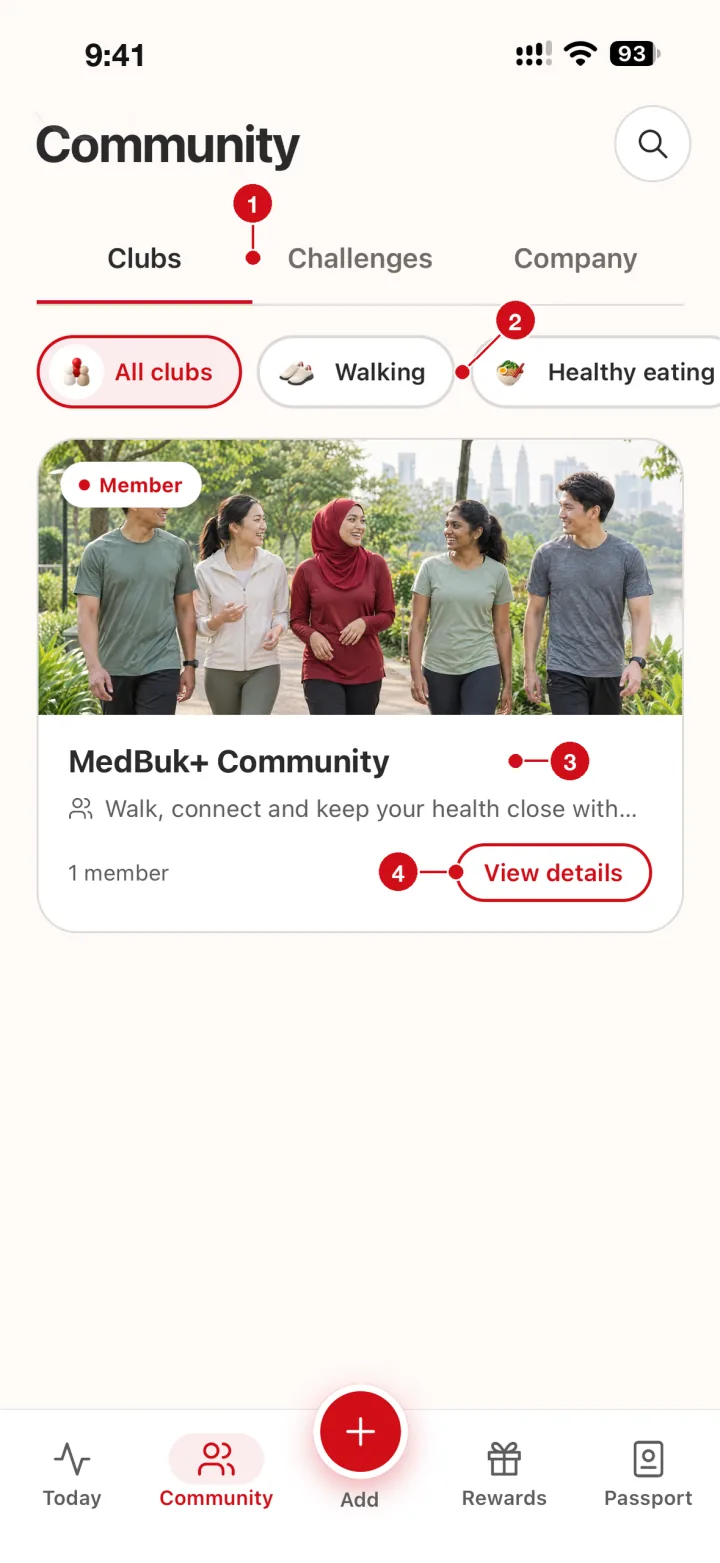
- Clubs, Challenges, Company. Browse clubs and challenges, or open Company for employer invitations.
- Filters. Narrow clubs by topic.
- Club card. Clubs are curated by MedBuk+. A Member tag marks a club you have joined.
- View details. Open the club to read about it.
How do I find a challenge?
Open the Challenges tab. Cards show the dates and how many people joined.
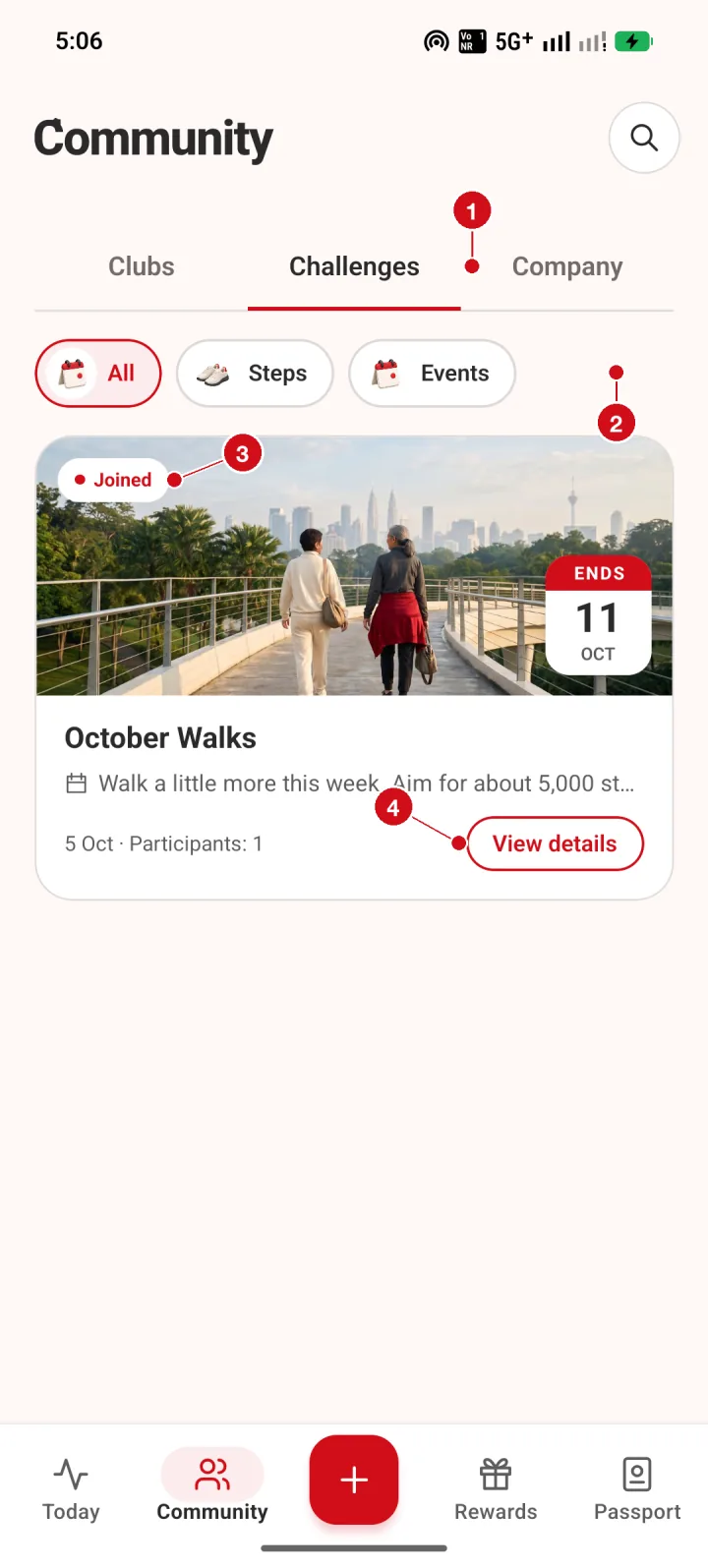
- Clubs, Challenges, Company. Browse clubs and challenges run by MedBuk+, or open Company to join your employer through an invitation.
- Filters. Narrow the list to steps challenges or events.
- Joined. A red Joined badge shows challenges you are in.
- View details. Open the challenge to read the rules and your progress.
What does a challenge screen show?
Read what the challenge is and what is shared before you join. Challenge totals shown in this version are provisional and for fun, and there is no prize. You can leave at any time.
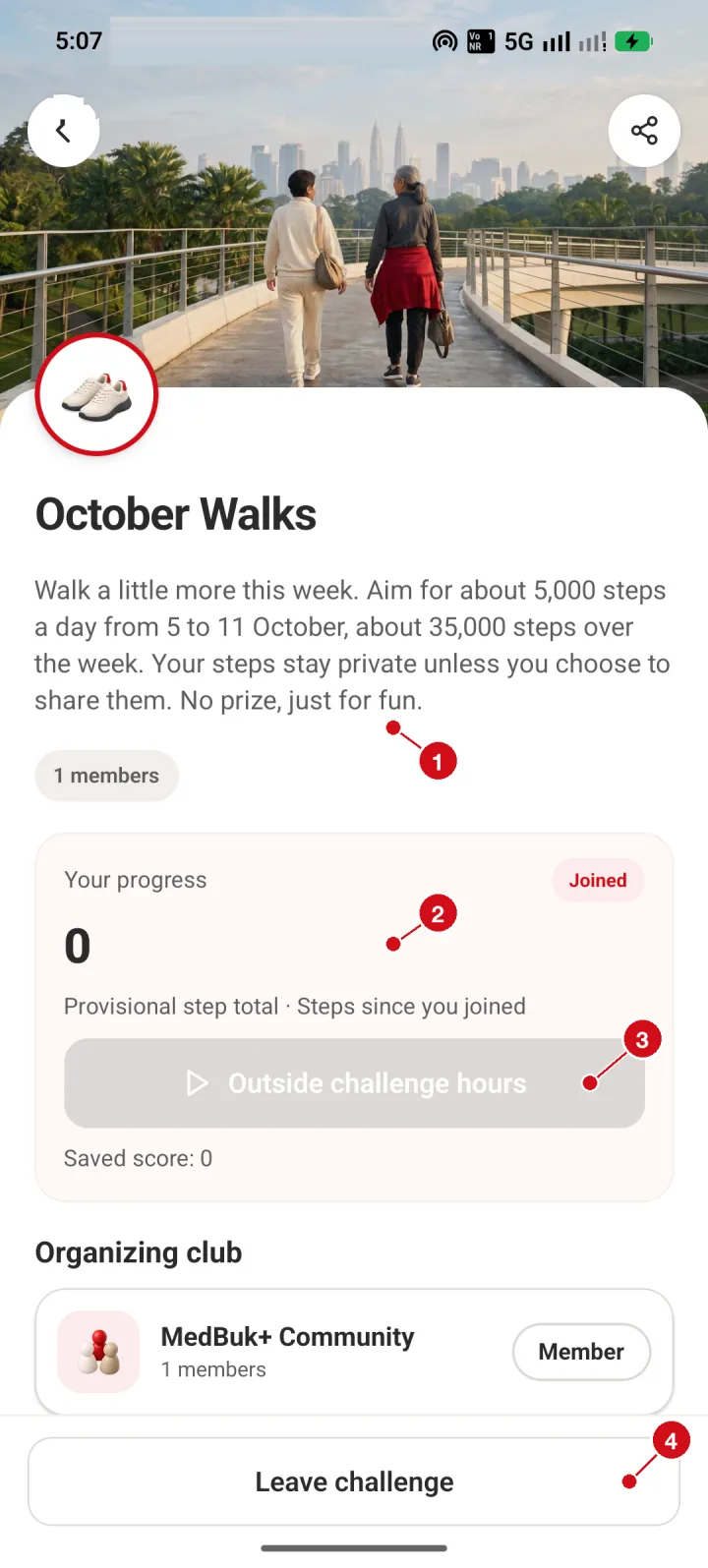
- About. What the challenge is. For October Walks the aim is about 5,000 steps a day from 5 to 11 October. Your steps stay private unless you choose to share them. There is no prize.
- Your progress. Your provisional step total since you joined. It is a fun total, not a verified score.
- Challenge hours. Tracking is available during challenge hours. The button is grey outside them.
- Leave challenge. You can leave at any time.