
Getting started with MedBuk+
Mood check-ins
Record how you feel in a few seconds. Mood is private to you.
A mood check-in takes one tap. Your mood is private to you: it is never shared with clubs or your employer, and it does not earn points. MedBuk+ does not interpret your mood. If you want to talk to someone, the Support lines link opens phone numbers for independent support organisations.
How do I check in?
Tap Check in on Today, or tap a face on the Add sheet, then confirm.
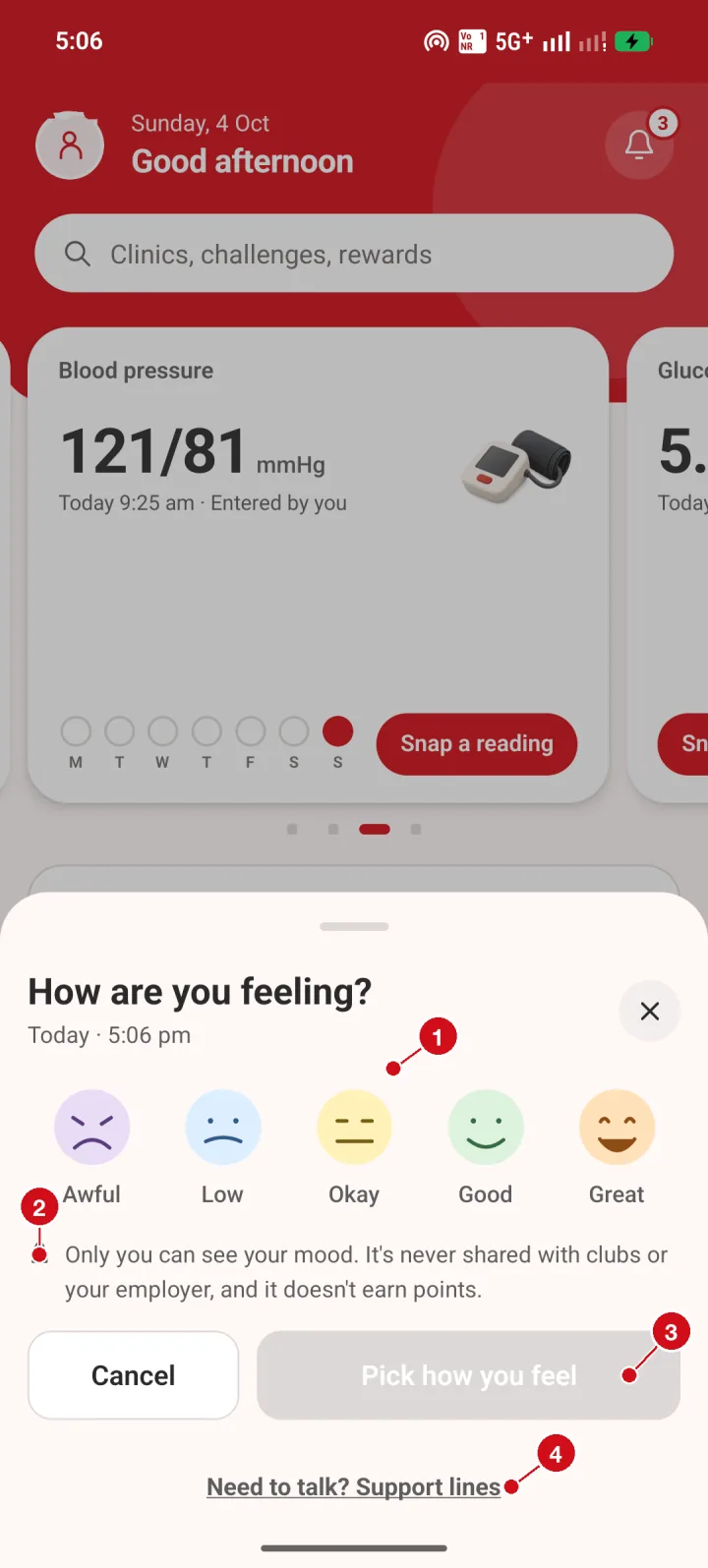
- Pick a face. Tap the face that matches how you feel: Awful, Low, Okay, Good or Great.
- Privacy note. Only you can see your mood. It is never shared with clubs or your employer, and it does not earn points.
- Confirm. The button turns active once you have picked a face.
- Support lines. Need to talk? Opens phone numbers for independent support organisations.
How do I see my mood history?
Open Mood history from Settings or the Passport. Switch between 7 days and 30 days.
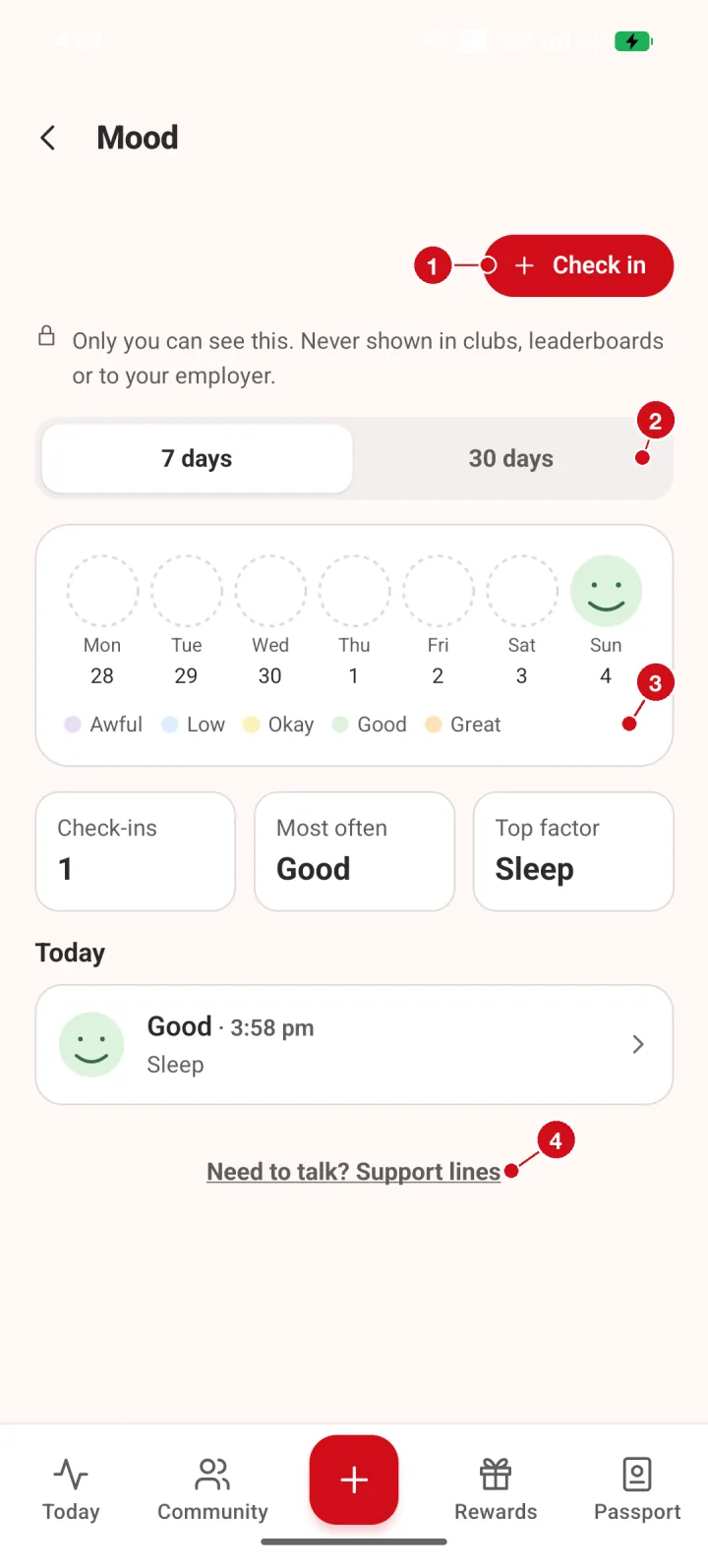
- Check in. Add a new mood check-in.
- 7 days or 30 days. Switch the time range.
- Week view. One circle per day. A filled face is a day you checked in.
- Support lines. Need to talk? Opens support numbers.