Getting started with MedBuk+
Rewards and points
Where your points come from and how to use them on partner vouchers.
Rewards is where you spend points on vouchers from MedBuk+ partners. Points come from a one-time welcome gift when you finish setup, currently 1,500 points. Steps, meals, readings and mood check-ins do not earn points. Partner rewards appear here when a partner publishes one, so the list can be empty at first.
What is on the Rewards screen?
Your available points are at the top. Use the search box and filters to look through partner rewards.
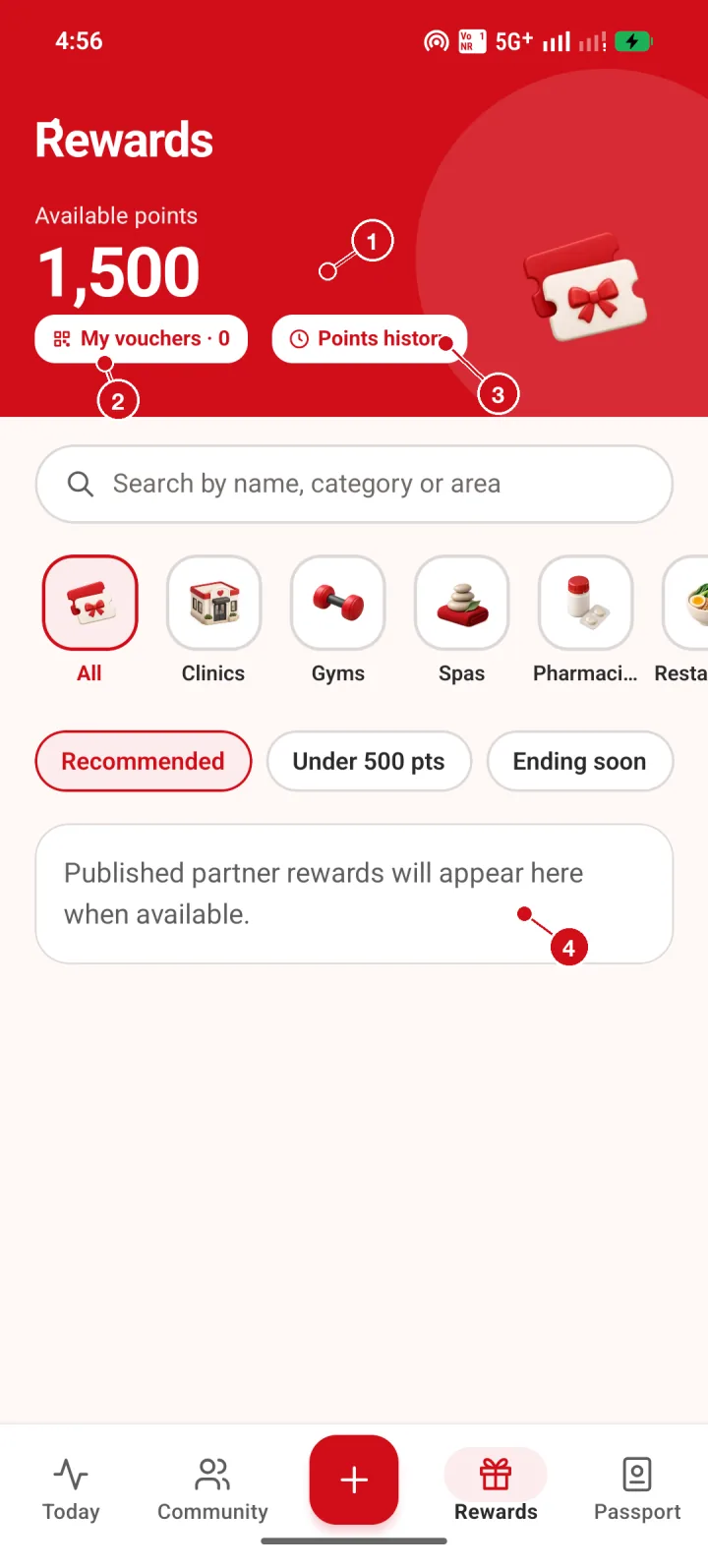
- Available points. Your points balance. Points come from the one-time welcome gift and are spent on partner vouchers.
- My vouchers. Vouchers you have claimed are kept here.
- Points history. See every change to your points balance.
- Partner rewards. Published partner rewards appear here, grouped by category. You can search or filter by category and points.
Where are my vouchers?
Vouchers you claim are kept under My vouchers. It is empty until you claim one.
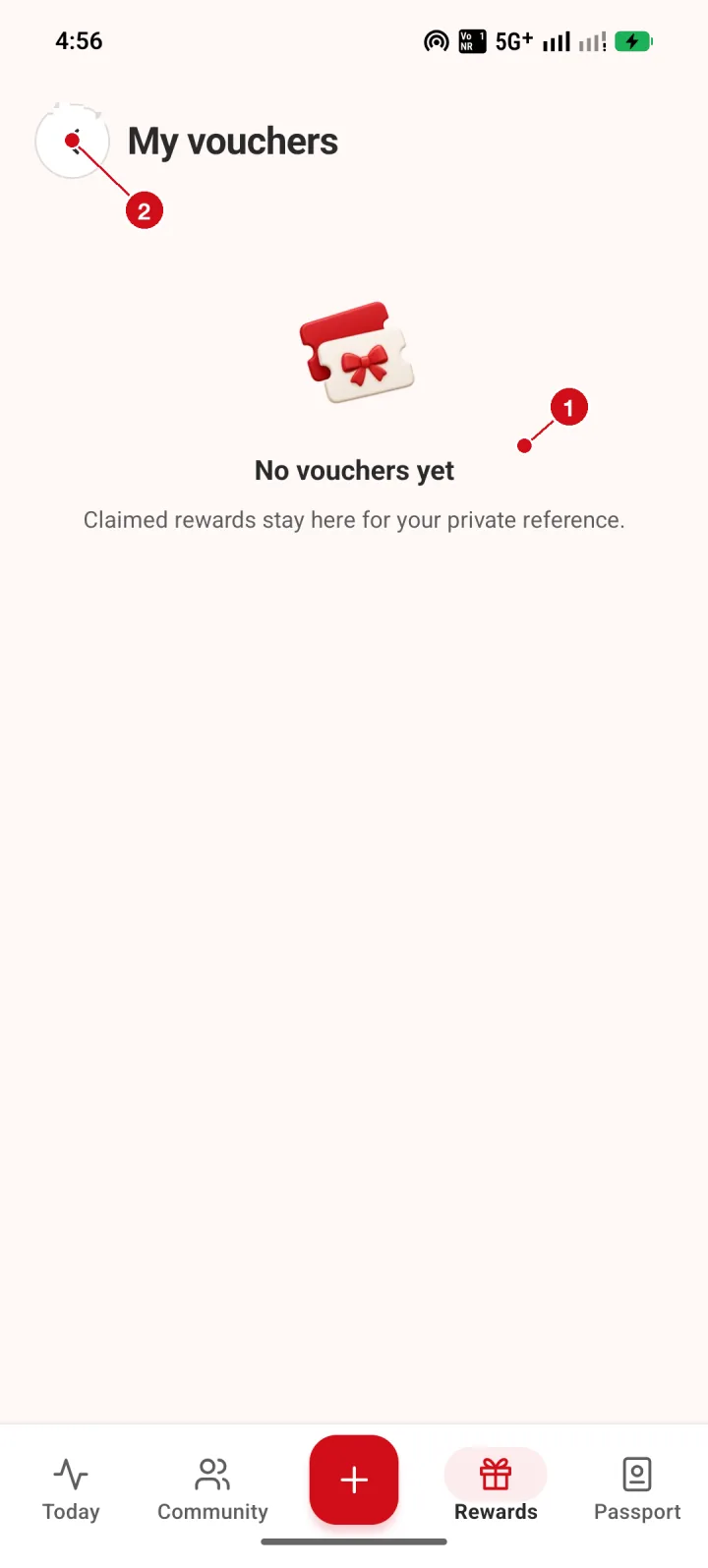
- Empty state. Vouchers you claim stay here for your private reference. You have none yet.
- Back. Return to Rewards.
How do I see my points history?
Open Points history to see every change to your balance, filtered by All, Earned or Spent.
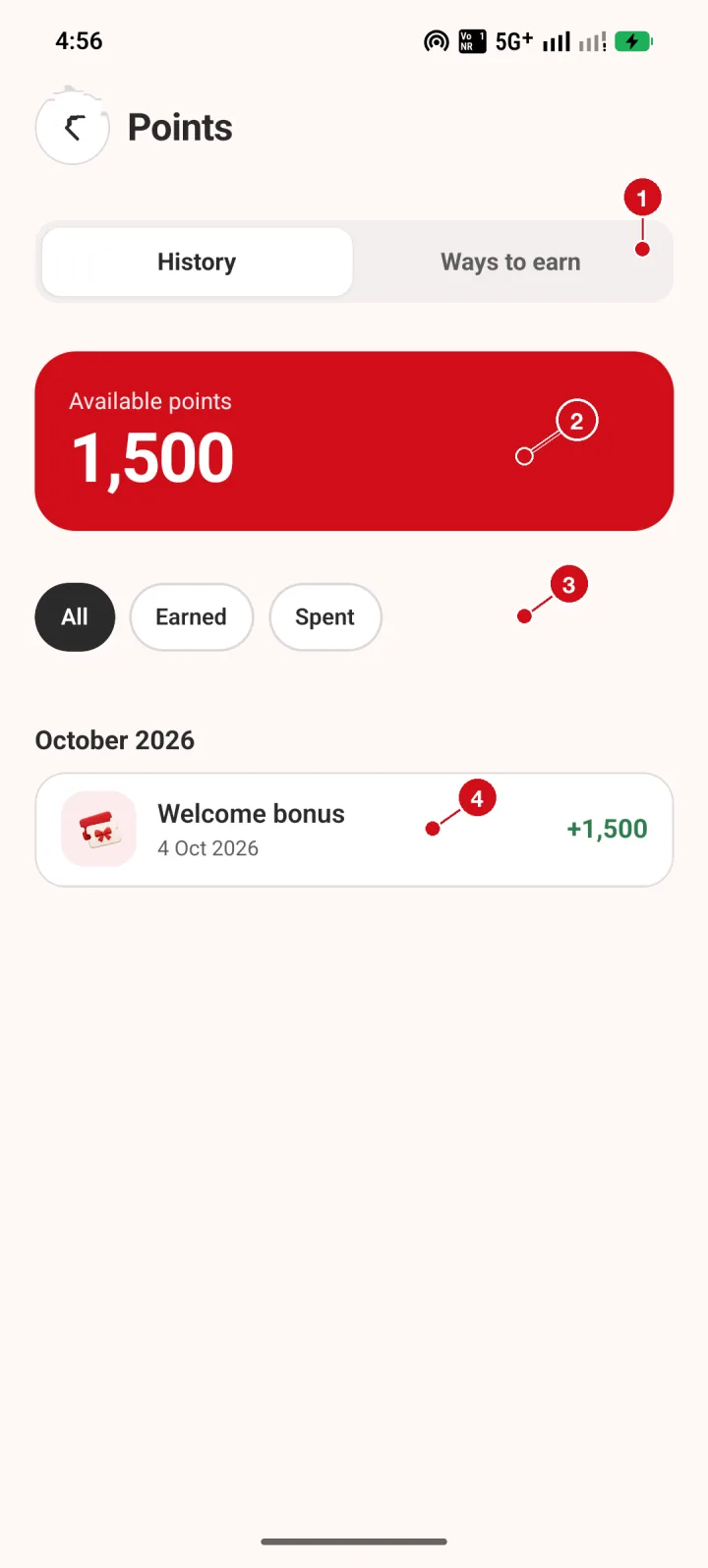
- Tabs. History lists what happened to your points; Ways to earn explains where points come from.
- Balance. Your available points.
- Filters. Show All, Earned or Spent entries.
- Welcome bonus. The one-time gift you received when you finished setup.
Where do points come from?
The Ways to earn tab lists the current sources. Right now points come from the welcome gift.
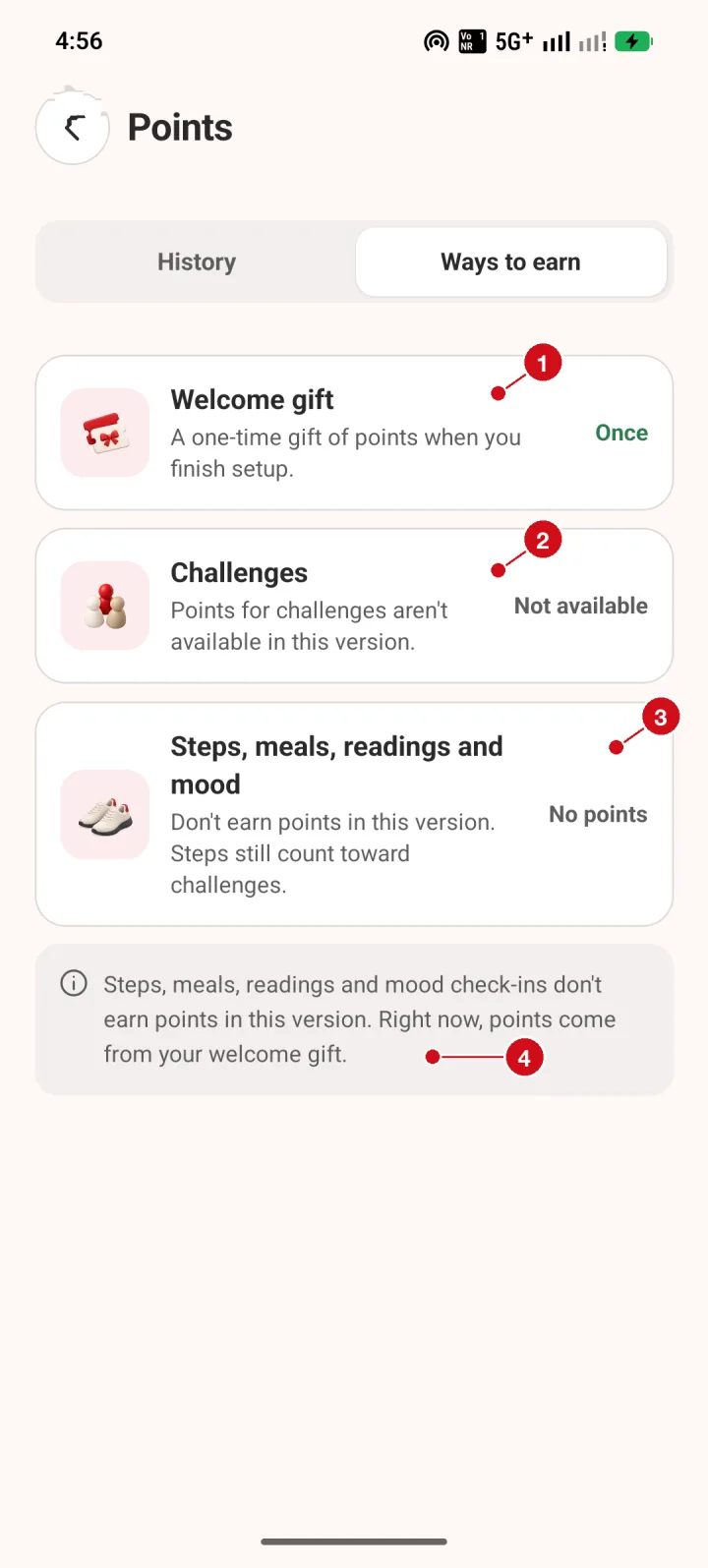
- Welcome gift. A one-time gift of points when you finish setup.
- Challenges. Points for challenges are not available in this version.
- No points for activity. Steps, meals, readings and mood check-ins do not earn points in this version. Steps still count toward challenges.
- Where points come from. Right now, points come from your welcome gift.