
Logging meals and readings
Add a meal, blood pressure, glucose or weight, by typing it in or from a photo.
You add a meal or reading from the red Add button. Type the number yourself, or take a photo and MedBuk+ drafts an entry for you to check. Photos are analysed by AI: MedBuk+ asks for your consent first and names the service that processes the photo, and the draft is an estimate. Nothing is saved until you confirm it. MedBuk+ records the numbers you give it and does not say what a reading means. If you have a question about a reading, talk to your doctor or nurse.
How do I open the Add sheet?
Tap the red Add button on any main screen. The sheet lists every way to add a record.
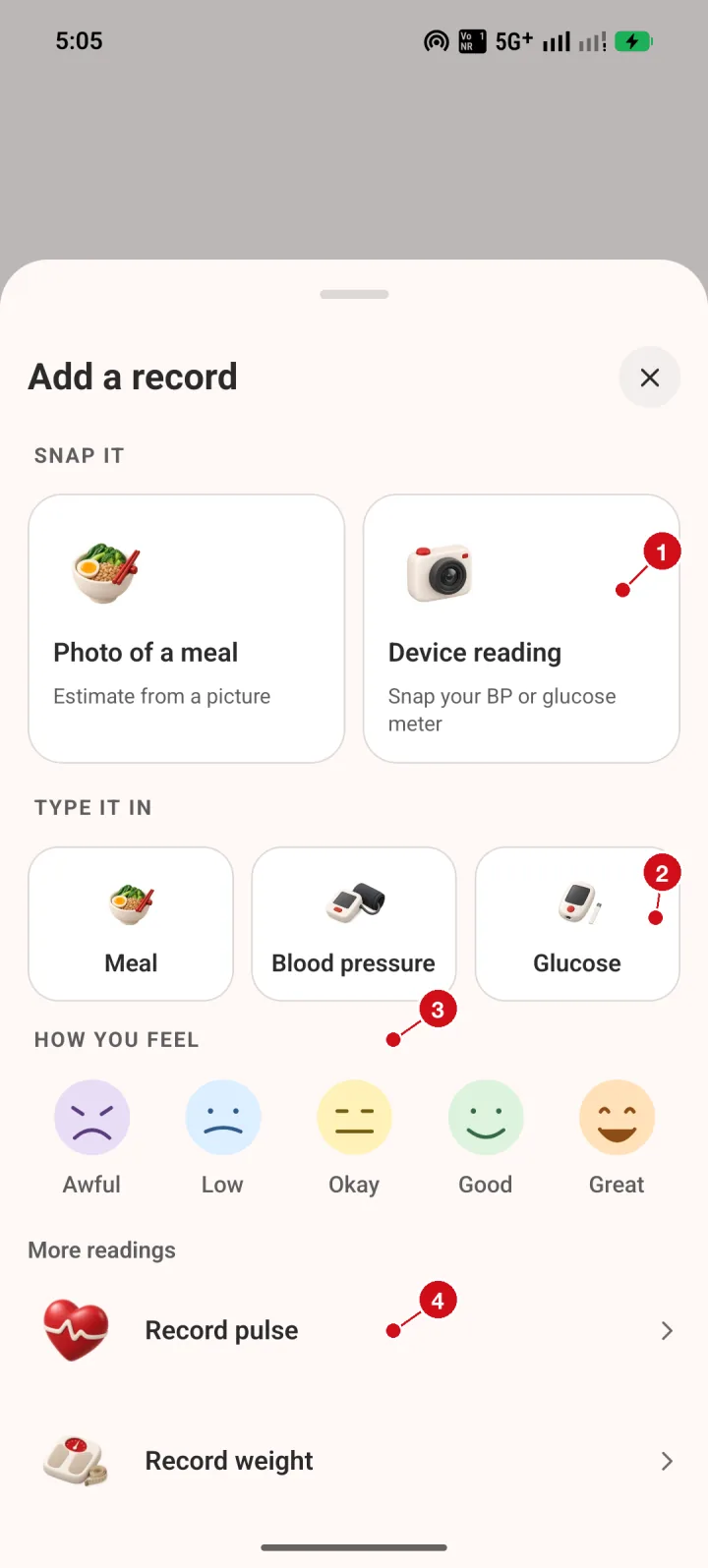
- Snap it. Choose Photo of a meal or Device reading to take a picture. MedBuk+ drafts an entry from the photo, and you review and confirm it before anything is saved.
- Type it in. Choose Meal, Blood pressure or Glucose to type an entry yourself.
- How you feel. Tap a face to record your mood. Mood check-ins are private and do not earn points.
- More readings. Record pulse or Record weight from the list at the bottom.
How do I log a meal?
Search the food list, or enter calories yourself. Nutrition values are estimates, and you can review them before saving.
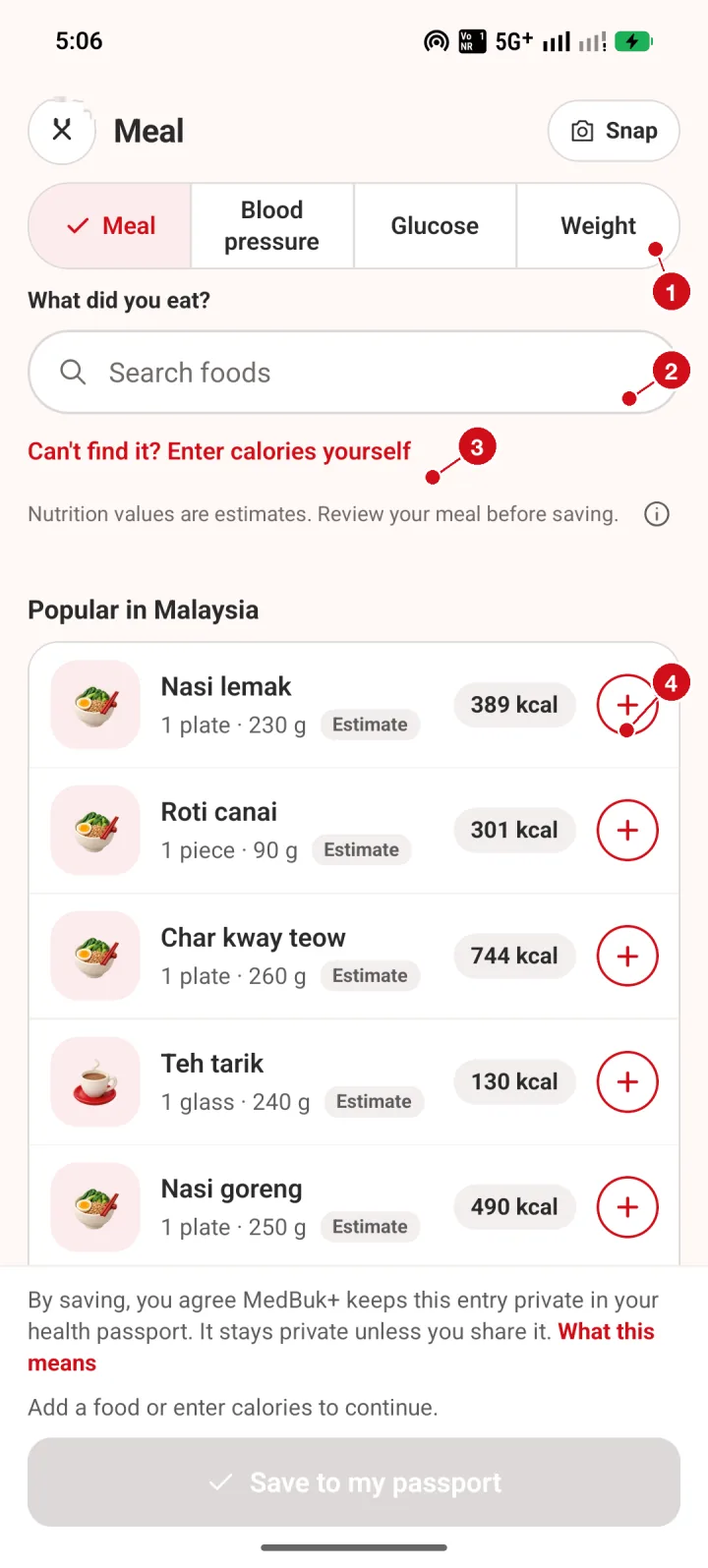
- Record type tabs. Switch between Meal, Blood pressure, Glucose and Weight without leaving the screen.
- Search foods. Type a dish name to search the food list. Popular Malaysian dishes are listed underneath.
- Enter calories yourself. If you cannot find a dish, tap Enter calories yourself and type the amount.
- Add a dish. Tap the + on a dish to add it to your meal. Nutrition values are estimates, and you can review them before saving.
How do I set the portion, the meal and the time?
After you add a dish, the screen shows the total for this meal. Check these four things, then save.
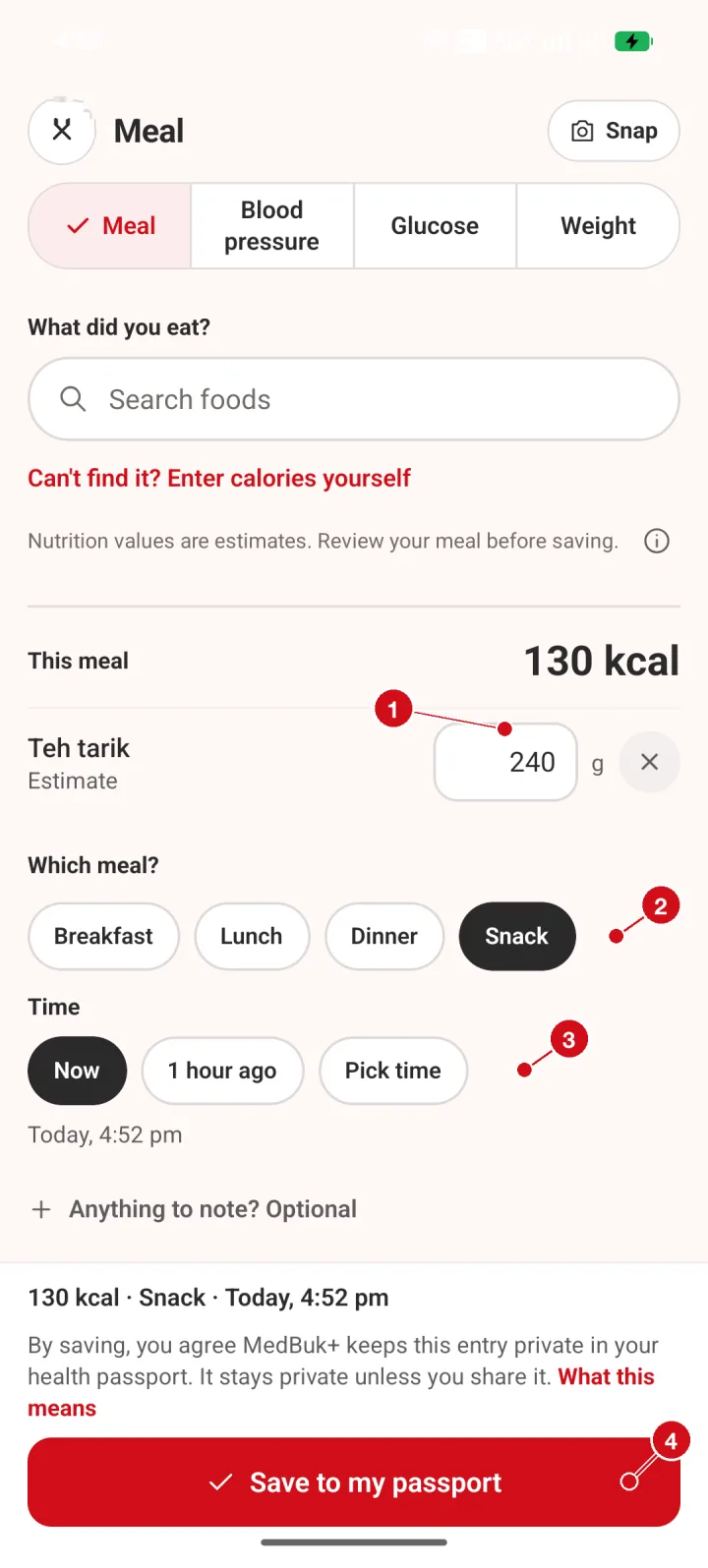
- Portion. Change the portion in grams if yours was bigger or smaller. The kcal total updates as you type.
- Which meal. Choose Breakfast, Lunch, Dinner or Snack.
- Time. Choose Now, 1 hour ago or Pick time so the entry sits at the right time in your timeline.
- Save to my passport. Saving keeps the entry private in your health passport. It stays private unless you choose to share it.
How do I log blood pressure?
Pick your unit, then type the numbers exactly as your monitor shows them. The pulse box is optional.
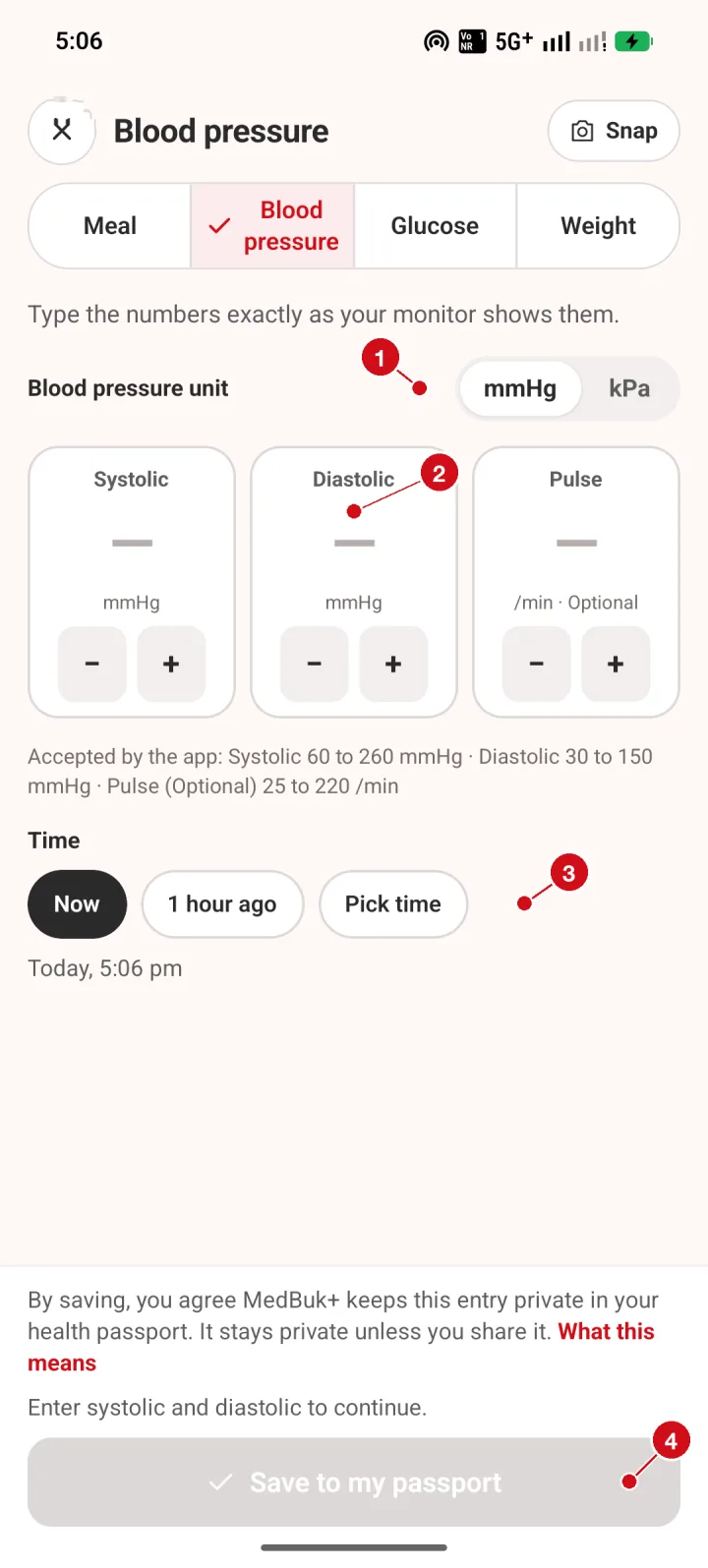
- Unit. Pick mmHg or kPa to match your monitor.
- Reading boxes. Type systolic, diastolic and (optionally) pulse exactly as your monitor shows them. MedBuk+ records the numbers you type and does not interpret them.
- Time. Choose when the reading was taken: Now, 1 hour ago or Pick time.
- Save to my passport. The Save button turns red once the required numbers are filled in.
How do I log glucose?
Pick the unit your meter uses and type the number as shown.
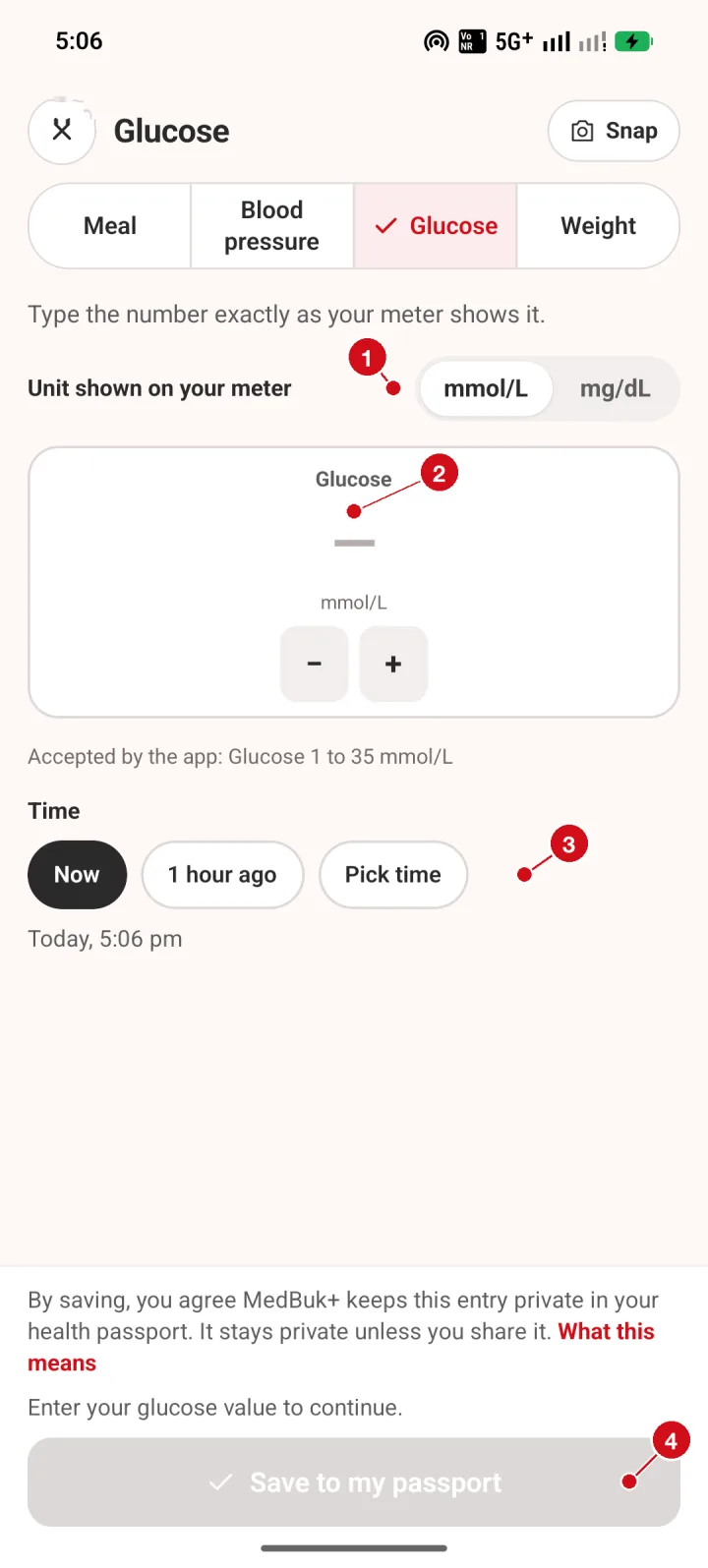
- Unit. Pick mmol/L or mg/dL to match your meter.
- Glucose box. Type the number exactly as your meter shows it. MedBuk+ records it and does not interpret it.
- Time. Choose when the reading was taken.
- Save to my passport. The Save button turns red once a value is entered.
How do I log weight?
Choose your unit and type your weight, or use the minus and plus buttons.
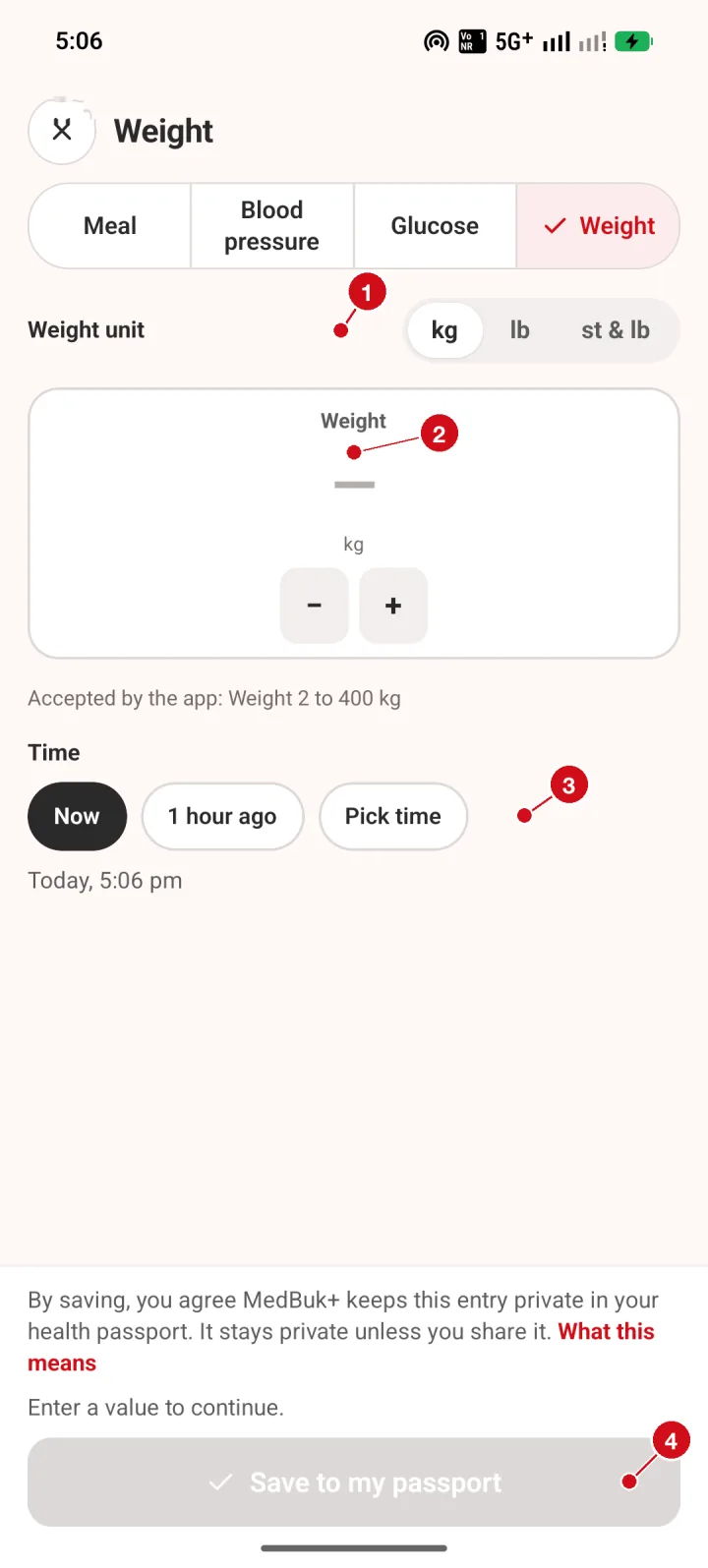
- Unit. Pick kg, lb or stone and pounds.
- Weight box. Type your weight, or use the minus and plus buttons.
- Time. Choose when you weighed yourself.
- Save to my passport. The Save button turns red once a value is entered.
What happens after I save?
A confirmation shows what was logged. Logging a meal or reading does not earn points. The counters are optional and are only for your own motivation.
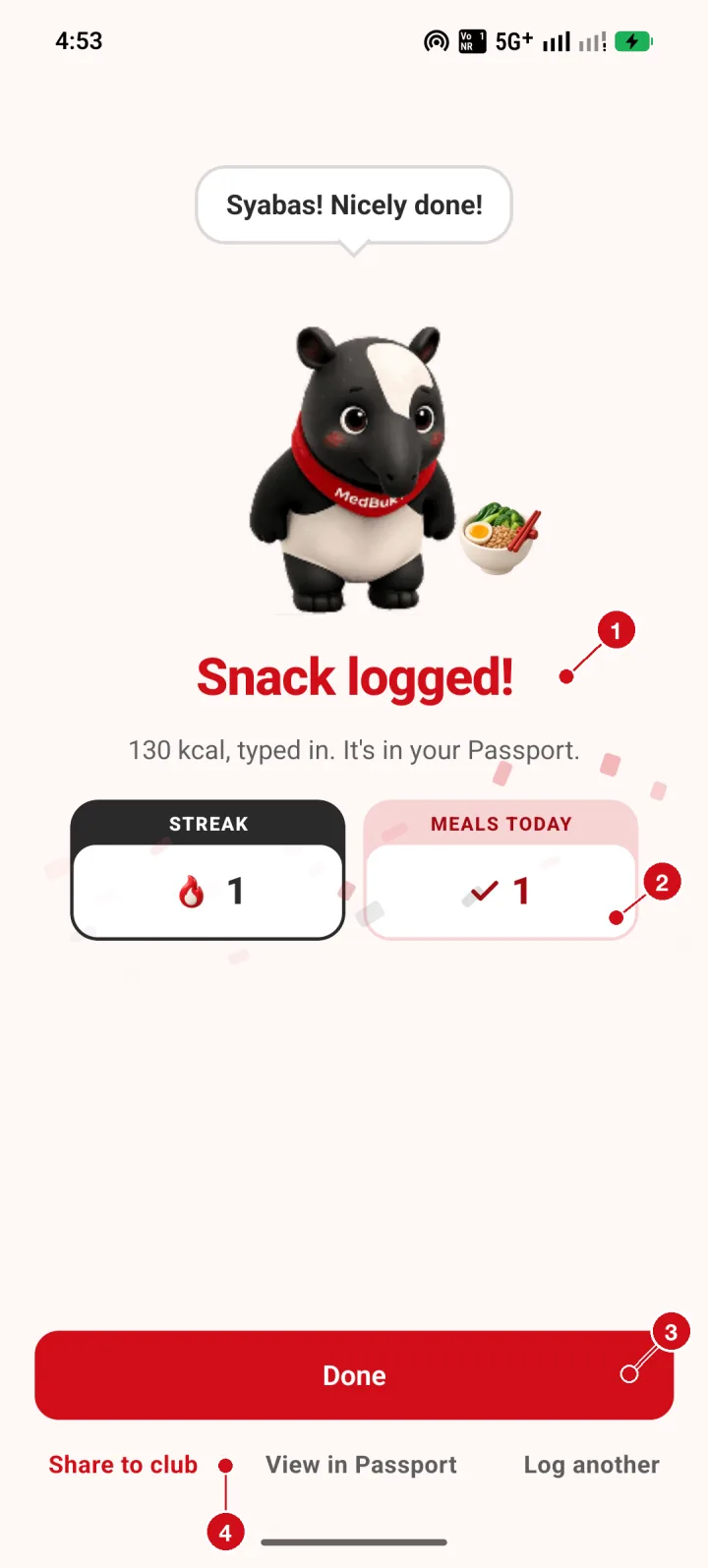
- Confirmation. After you save, the MedBuk+ tapir confirms what was logged. Logging a meal or reading does not earn points.
- Streak and meals today. Optional counters for your own motivation: days you have logged, and meals logged today.
- Done. Tap Done to go back.
- More actions. Share to club (optional, your choice each time), View in Passport, or Log another.